
Meet Emmy, the AI content agent for creators
Send a link.
Get a script.
Hit record.
Send Emmy an article, a YouTube video, or a TikTok. Emmy finds the angle and drafts a hook-to-close script, with the source attached so facts are easy to check. Add your take, approve it, and you’re ready to shoot.
Ready now? Book a free consultation →
Built by creator Preston Chin (700K+ followers), who runs his own content on it.

What is Melda OS?
Melda OS is an AI content engine for creators. You send Emmy, its AI content agent, a link to an article or a YouTube or TikTok video, and Emmy returns a short brief and a short-form video script saved to a card in your Pipeline. You edit, approve, record, and publish.
- Made for
- Creators, coaches, consultants, and founders who talk to camera
- What it writes
- Short briefs, hook options, scripts, and captions
- What you can send
- Article, YouTube, and TikTok links; transcripts; text, Markdown, and image files
- Where work lives
- Cards in Pipeline, with your idea list in your own Google Sheet
- You stay in charge of
- Facts, final wording, approval, recording, and publishing
- Availability
- Used today by a small group of creators; join the waitlist for access
From link to script
in three steps.
-
01
Send a source
Paste a link to an article, a YouTube video, or a TikTok into Chat. A transcript or a text file works too.
-
02
Get a brief, then a script
Emmy writes a short brief with the angle, then the script, and saves both to one card in Pipeline.
-
03
Review, revise, approve
Check the facts, add your take, ask for a revision, and approve the version you’ll record. Need to share it? Ask for a Google Doc.
Starting from an idea instead of a link? Save it, and Emmy develops a brief, offers hook options, then writes the script.
Meet Emmy,
your AI content agent.
Emmy is the AI agent inside Melda OS, built for the work that eats a creator’s week: turning what you read and watch into scripts, keeping ideas from slipping away, and tracking what still needs you. Emmy drafts. You decide.
What Emmy handles
- Turning an article, a YouTube video, or a TikTok into a script
- Finding the angle and offering hook options
- Saving ideas the moment you have them
- Writing captions for each platform
- Telling you what’s waiting on you
- Making a Google Doc to share with your editor
What stays yours
- Choosing the ideas worth making
- Checking facts and adding your take
- Approving the final script
- Recording and editing
- Publishing on your own channels
Melda OS doesn’t post, schedule, send reminders, or track performance. Voice memos, PDF, and DOCX files aren’t supported yet.
Sound like
anyone you know?
“You know content drives leads. But you’ve tried freelancers, agencies, posting sprees — nothing stuck.”
“Every post drives DMs. But you can only post when you’re not with a client.”
“You want to be visible — without becoming a full-time creator to get there.”
Not for: anyone who doesn’t want to be on camera. The engine assumes you’re the voice — that’s the point.
We set it up
with you.
Free consultation
We map your current content workflow live and find the most painful 4–6 things AI can take off your plate. No pitch. You leave with the map either way.
We set up your workspace
We connect your idea Sheet and Google Docs and Drive, then walk through your first script together. Any additional integration gets an agreed scope and a demonstration before handoff.
We run it with you
We help you use the workflow month to month. You choose the work, review drafts, add your take, and record. Rather fly solo? We hand over the configured workflow and documentation so your team can take over.
Works with
 Google Sheets
- Google Docs
 Google Drive
- YouTube links
- TikTok links
- Articles
The waitlist hears first. Ready now? Book the free consultation.
Built on the engine
I run myself.
Melda OS was founded by Preston Chin — a creator with 700K+ followers who got tired of choosing between making content and running his life.
It began as his own system: a spreadsheet of every post, a voice-note bot, and a production board. That playbook became the workspace that keeps his ideas, scripts, and approvals moving around the parts that still need him.
Not a pitch deck — a working system. He’ll show you the workflow on the consultation.
Learn more about Melda OS and Preston’s operating principles.
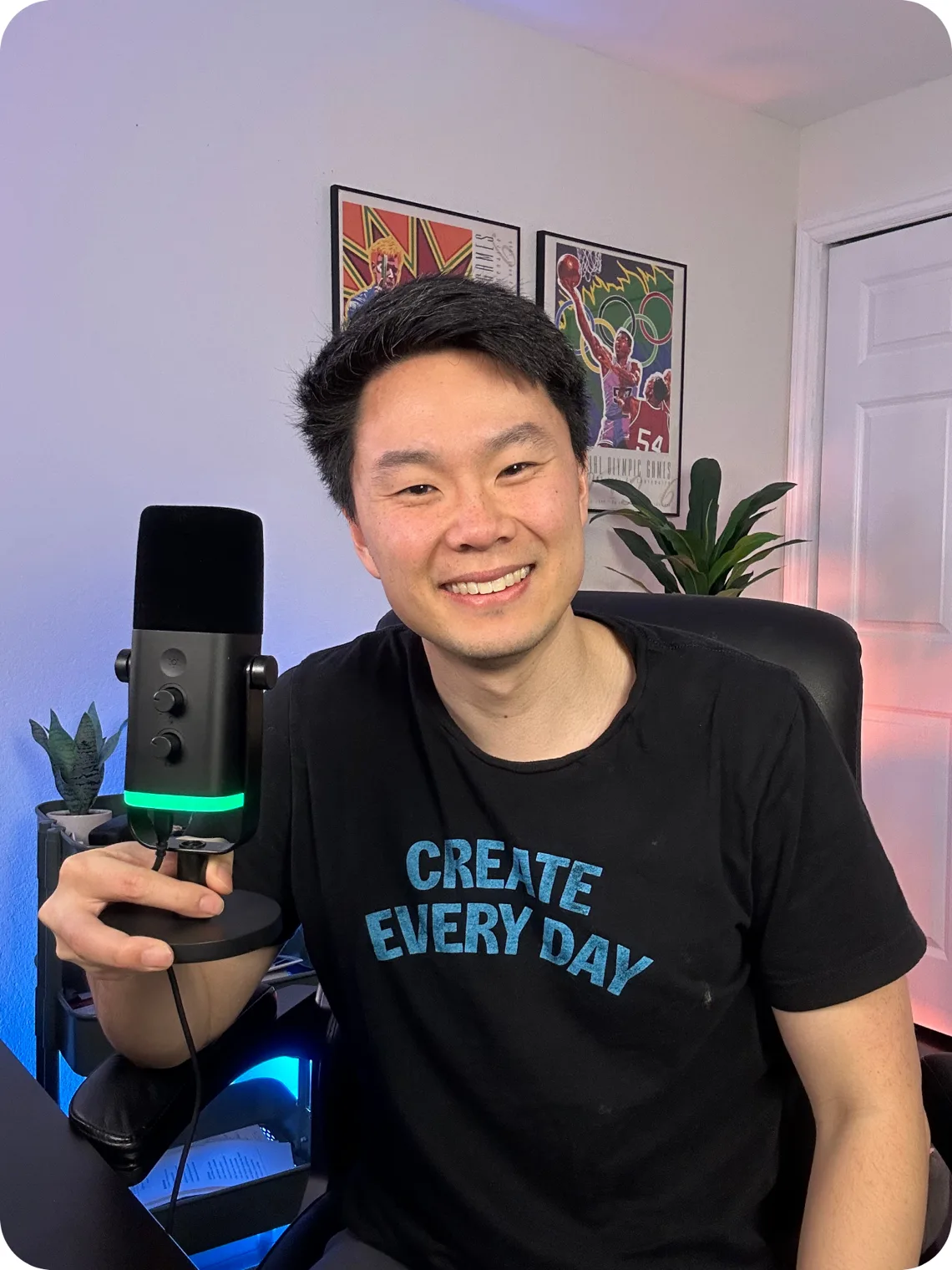 Preston — creator and founder of Melda OS.
Learn the craft,
with or without us.
Practical guides for turning what you watch and read into scripts you’d actually record.
-
YouTube to script
How to turn a YouTube video into a short-form script
Turn a long video into a 30–60 second script: work from the transcript, find one idea, and lead with a three-second hook.
Read the guide → -
TikTok to script
How to turn a TikTok into your own script
Respond with your own take instead of copying: four angles, the hooks that go with them, and how to credit the original.
Read the guide → -
Article to script
How to turn an article into a video script
Rewrite a post, newsletter, or report for the ear, with the source kept next to the script for fact-checking.
Read the guide → -
Free template
Short-form video script template
A copy-paste hook, body, and close template with word counts by length, eight hook formulas, and filled-in examples.
Read the guide → -
Comparison
Melda OS vs ChatGPT for video scripts
An honest comparison for creators deciding where to write the scripts they record, and when to use each.
Read the guide → -
Explainer
What is an AI content engine?
How an AI content engine works, how it compares with agencies and doing it yourself, and why most AI content fails.
Read the guide →
Questions, answered.
What is Melda OS?
Melda OS is an AI content engine for creators. You send Emmy, its AI content agent, a link to an article or a YouTube or TikTok video, and Emmy returns a short brief and a short-form video script saved to a card in your Pipeline. You edit, approve, record, and publish.
Who is Emmy?
Emmy is the AI content agent inside Melda OS. Emmy reads the articles, YouTube videos, and TikToks you send, finds the angle, and drafts briefs, hook options, scripts, and captions. Emmy also saves your ideas, keeps each script on a card with its source, and tells you what’s waiting on you. You approve the work, record, and publish.
How does Melda OS turn a link into a script?
Paste the link into Chat and ask for a script. Emmy reads the source, writes a short brief with the angle, then writes the script and saves both to one card. Ask for a revision, approve the version you want, and request a Google Doc when you want to share it.
What can I send Emmy?
Links to articles and YouTube or TikTok videos, pasted transcripts or notes, and text, Markdown, or image files attached in Chat. Voice memos, PDF, and DOCX files are not supported yet.
Can I start from an idea instead of a link?
Yes. Save the idea from Chat or Pipeline, and Emmy develops a short brief, offers hook options, then writes the script from the hook you choose. Saved ideas live in the Google Sheet connected to your workspace.
Does Emmy write in my voice?
Emmy works from the context you give it: your take, your examples, and your workspace profile. Every script is a first draft for you to edit. Voice matching is something we evaluate together, not a guaranteed result.
Is this just ChatGPT with extra steps?
General-purpose assistants can draft from context too. Melda OS adds the workflow around the writing: every script is saved to a card with its source, approvals are recorded on the version you reviewed, and your idea list stays in your own Google Sheet.
Does Melda OS post automatically?
No. Melda OS doesn’t post, schedule, or publish to your channels. It prepares the writing and records your approvals; you record, edit, and publish with your own tools.
What do I need to get started?
A Google account. Your idea list lives in a Google Sheet connected to your workspace, and Google Docs and Drive deliver drafts when you ask for a Doc. We set up the workspace with you after a free consultation.
Is Melda OS available now?
Melda OS is used today by a small group of creators, starting with founder Preston Chin. Join the waitlist to hear first when it opens more widely, or book a free consultation to talk sooner.
How much does Melda OS cost?
Pricing depends on what your setup needs. We scope it together on the free consultation, and you’ll know the exact number before anything gets built. The consultation costs nothing either way.
What if I want ongoing support?
We can run the workflow alongside your work month over month, for only as long as you want it. Prefer to run it yourself? We hand over the configured workflow and documentation so your team can take over.
What if my question isn’t here?
Reach us at help@melda.co. We’ll get back to you.
Your next script is
one link away.
Join the launch waitlist. We’ll email you when Melda OS opens up, and that’s it.
Don’t want to wait? Book the free consultation now →
Built by creator Preston Chin (700K+ followers), who runs his own content on it.